
Let’s Begin.
Step-by-step instructions to help you set up your secure payment portal, view your counseling package, and complete payment.
On this page
Do you have questions? Please review our frequently-asked questions, and always feel free to contact us at billing@meridianprep.com for more.
Accessing your Meridian Prep Payment Portal
Accept your Meridian Prep portal invitation
Your username is the email where you received the invitation. Create a secure password.
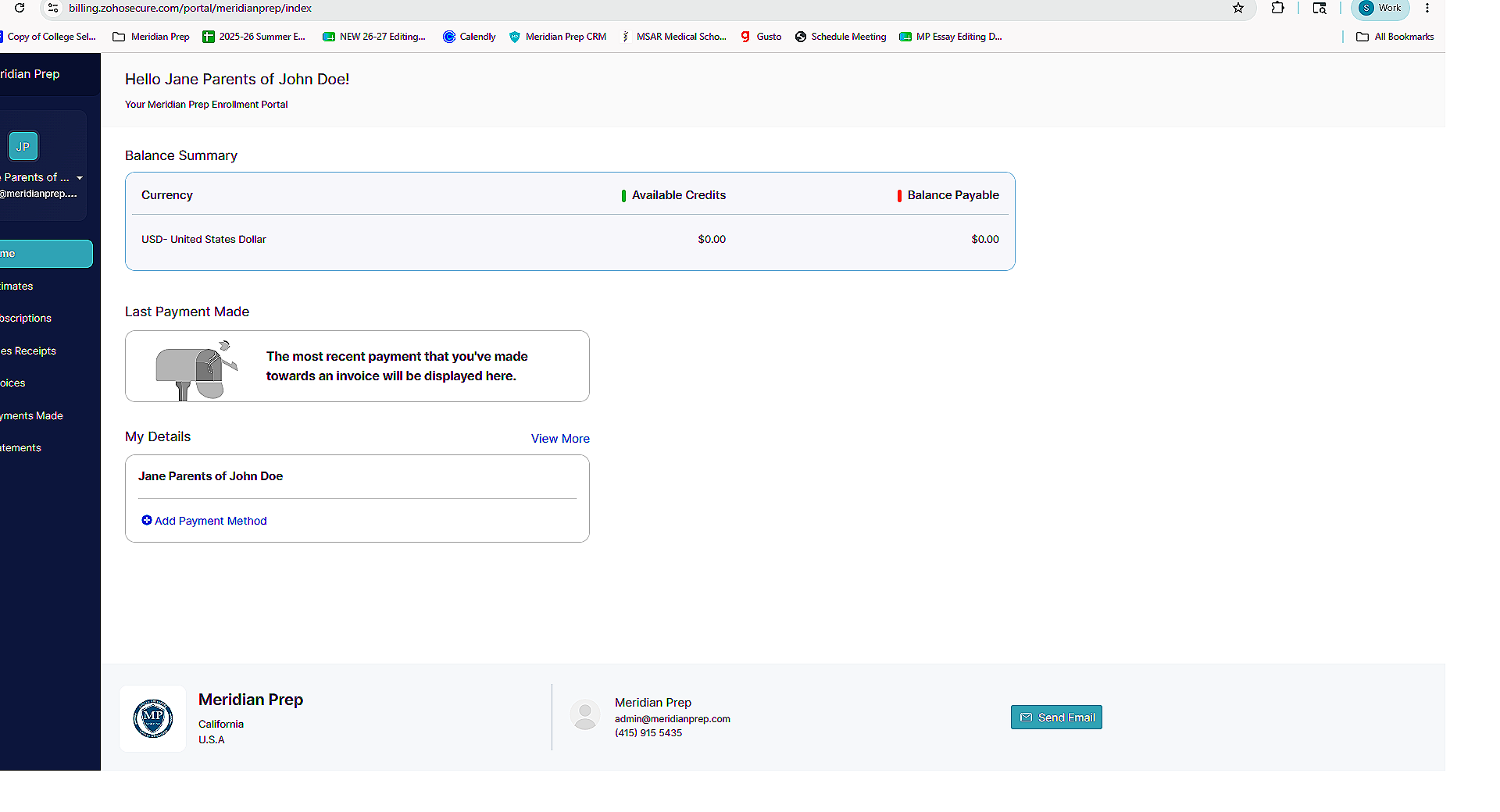
Home Page
This is where you will see your current balance.
Subscriptions
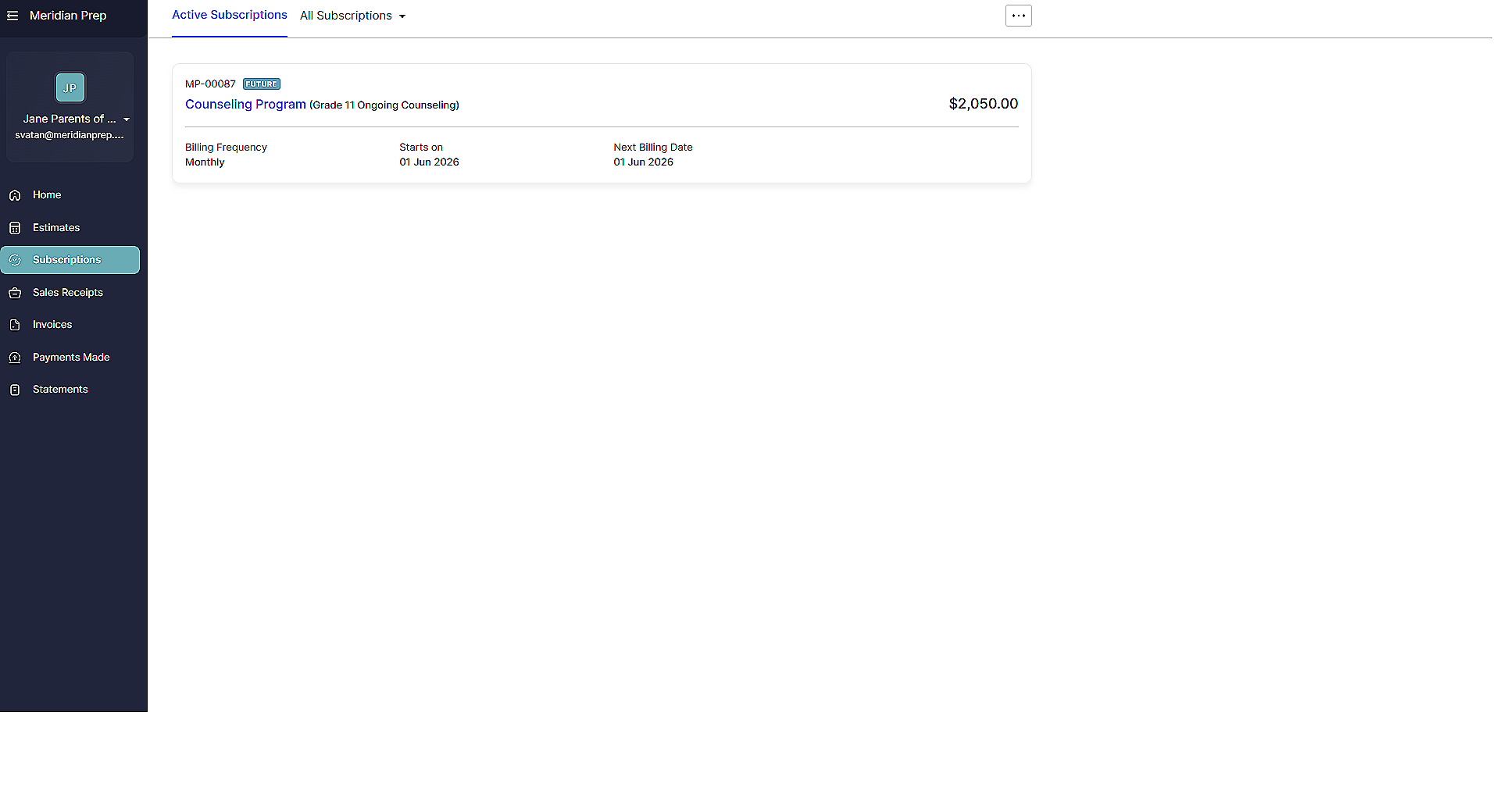
If you are on a quarterly payment plan, navigate to “Subscriptions” in the left sidebar. From there, you will see a brief overview of your counseling plan: the name of the plan, the start date, the next billing date, and the amount.
Subscription Details
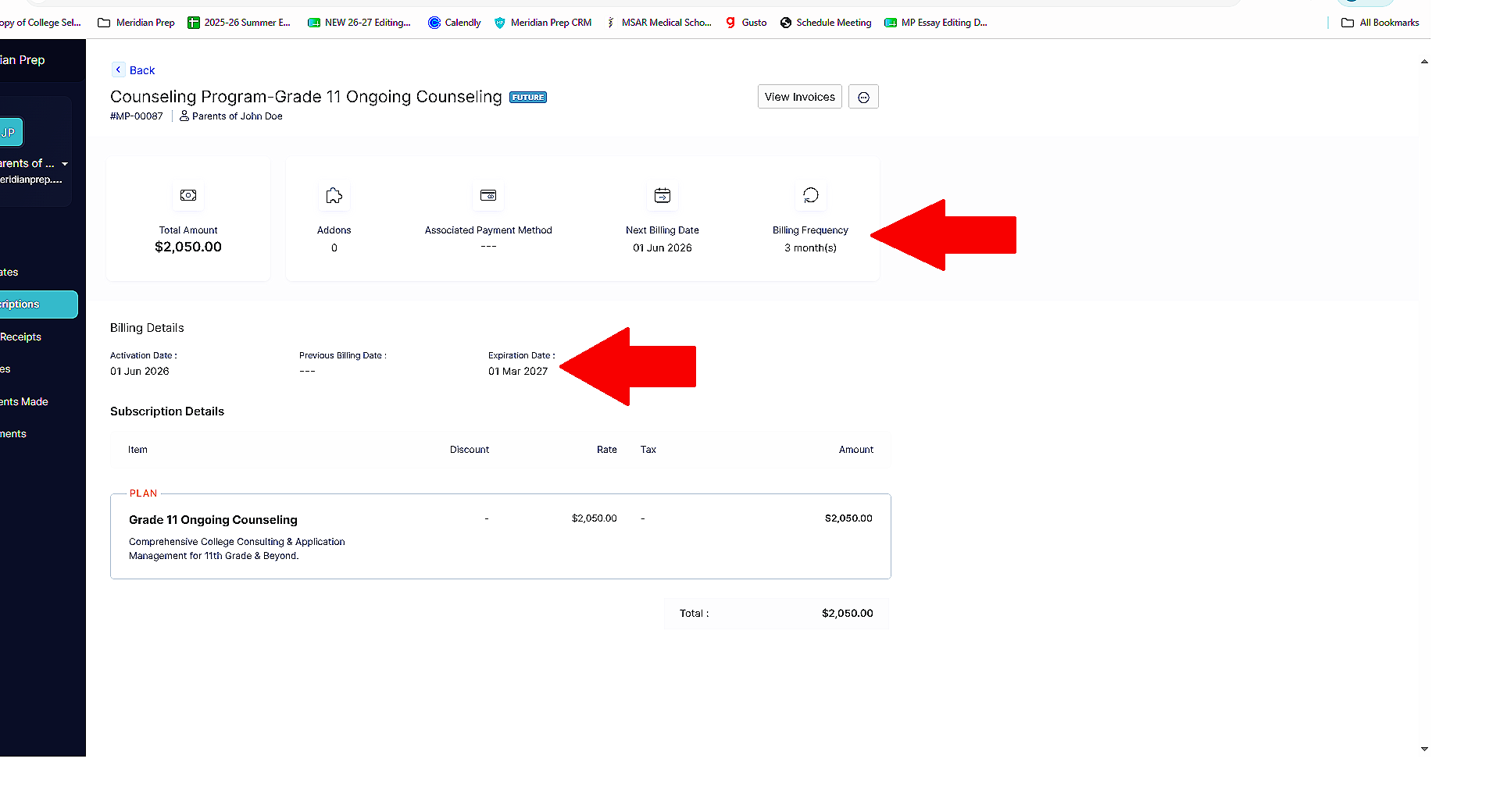
Click on the counseling plan itself. From there, you will see more details, including the billing frequency (typically every quarter, or three months). For high school-aged students, you will also see an expiration date, which should be set to March of your student’s graduating year. That means that the last automatic charge will occur in December of your child’s senior year.
*Note that different plans may have different expiration dates, or no expiration date at all.
Make a Payment
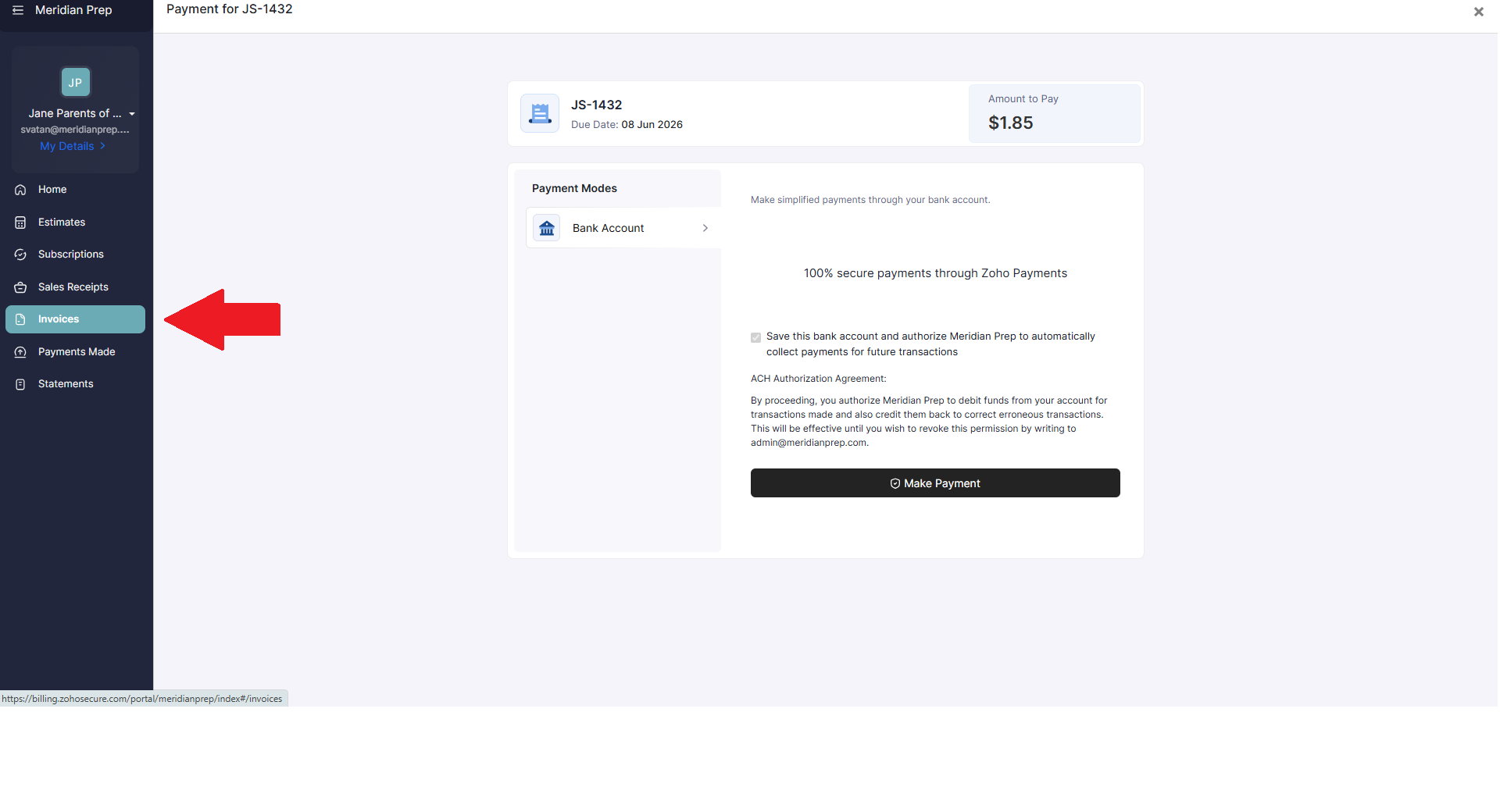
To add a payment method, go to “Invoices” in the left side bar and click “Make Payment” to add your payment details.
From there, you will log into your bank account through an encrypted third-party gateway and safely link your account.
Frequently Asked Questions
-
ACH (Direct Debit): This is our primary and preferred payment method. To protect our families from manual errors or surprise bank fees, we utilize secure Instant Bank Verification through an encrypted third-party gateway. You can safely link your account via your Client Portal or by scanning the QR Code listed directly on your invoice.
Credit Card: We can accommodate credit card payments upon request. Please note that all credit card transactions will incur a standard 3% processing fee.
Alternative Methods (Zelle, PayPal, Venmo, Cash): To ensure secure financial tracking and auditing across our advisory programs, we do not accept peer-to-peer payment apps, digital wallets, or cash.
-
We completely understand your caution. What you're running into is a feature called "Instant Bank Verification," which is baked into our current payment gateways.
In the old days of ACH, the customer just typed in the numbers, the company would initiate the pull, and - if the account was empty - the payment would bounce, and everyone got hit with Non-Sufficient Funds (NSF) fees.
To prevent this, modern gateways use third-party connectors to ask customers to log in directly and ask for permission to read the account balance. The gateway can check whether the account holds enough money to cover the invoice before attempting to pull the funds. If funds are insufficient, the new gateways can immediately stop the transaction, preventing a formal "bounced" payment.
Prefer manual input? Please contact us at billing@meridianprep.com
-
For ongoing counseling, our quarters are billed four times a year on the following dates: March 1, June 1, September 1, and December 1. If you begin counseling mid-quarter, you will receive a pro-rated bill at the time you activate your counseling.
For one-time payments, you will only be charged at the time of payment.
-
Please contact us at billing@meridianprep.com, and we will address it immediately.
-
Currently, the portal is designed only to manage payments and subscriptions.
-
You can always cancel your counseling services, either by contacting us at admin@meridianprep.com or through the billing portal. Navigate to “Subscriptions,” click on your subscription, then click on the three dots in the upper right-hand corner. You will see an option to cancel your subscription.
-
Our apologies! There is a processing delay with ACH, but if you’ve connected your bank account and are receiving overdue notifications, please email us at billing@meridianprep.com.
-
To confirm the exact charge date, navigate to “Subscriptions” in the left side bar, click on the plan name, and you will see the how often you will be invoiced. If you notice any inaccuracies, please contact us at billing@meridianprep.com
-
The expiration date for your subscription is set to three months after your final payment.
Example:
If your expiration date is March 1, your final payment will be in December 1.
If your expiration date is June 1, your final payment will be March 1.
-
Some counseling packages don’t have a clear final deadline. This is especially true for college-aged students who are transferring to a different undergraduate program or preparing for a graduate program. If you have questions about your expiration date, send them to billing@meridianprep.com.